


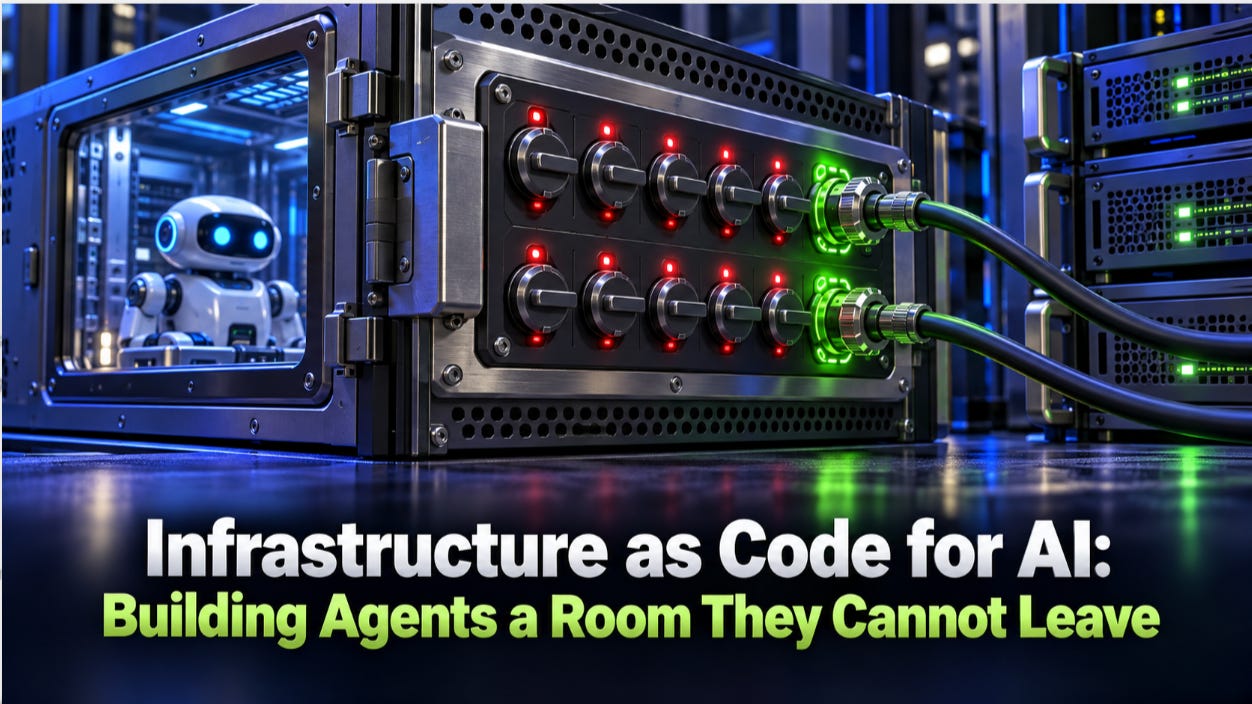
How to define the sandboxes, network limits, protected backups and kill switches that contain an AI agent when everything else fails.
This is Article 4 in my "X As Code" Series:
Article 1: Identity as Code
Article 2:Policy as Code
Article 3:Configuration as Code
Identity, policy and configuration all govern what an agent should do. Infrastructure decides what it can do when something goes wrong anyway: a manipulated prompt, an over-permissioned token or a model that simply makes a bad call.
That is why the last layer of governance is containment. Infrastructure as Code is decades old, but agents give it a new job:not just building environments, but building walls.
In this article, you will learn:
The wake-up calls: what recent agent incidents teach about containment
The concept: what Infrastructure as Code means when the workload is an AI agent
The containment layers: six building blocks of a room an agent cannot leave
The kill switch: how to design one that works without the agent's cooperation
The first steps: how to start in any organization
1. Why Containment Is the Last Line of Defense
Every other control assumes the agent behaves. Containment is the one that assumes it will not.
Two incidents show how quickly an agent can reach beyond its task:
Nine seconds: in April 2026, a coding agent working for PocketOS, a software platform for car rental operators, used a fully permissioned infrastructure token to delete the company's production database and its volume-level backups in a single call. The most recent recoverable backup was three months old.
During a code freeze: in July 2025, SaaStr founder Jason Lemkin reported that Replit's AI agent deleted a live production database holding records on more than 1,200 executives and over 1,190 companies, despite an instruction to make no changes. Replit responded by automatically separating development and production databases.
Neither incident needed an attacker. Both needed an environment where one agent could reach production data and its backups at the same time.
The readiness numbers are sobering. In Kiteworks' 2026 survey of 225 security, IT and risk leaders, only 45% had network isolation for their agents and only 40% had a kill switch. The OWASP Top 10 for Agentic Applications lists unexpected code execution, cascading failures and rogue agents among the top risks.
An agent's worst day is decided long before it happens, by the walls you built or forgot to build.
2. What Infrastructure as Code Means for AI
If the environment is not defined in code, nobody can prove what the agent could reach.
Infrastructure as Code means defining every environment an agent runs in, its compute, network, storage, backups and emergency controls, as versioned files that are reviewed, tested and deployed by a pipeline. For agents, the goal shifts from speed of provisioning to strength of containment.
Six containment layers
Isolated runtime: each session runs in its own sandbox. Containers may be enough for trusted automation, but agents that run generated code deserve stronger isolation such as microVMs. Amazon Bedrock AgentCore Runtime, for example, gives every session its own microVM and sanitizes its memory when the session ends.
Network limits: outbound traffic is denied by default, and only named destinations such as the model provider and approved tools are allowed. Cloud metadata services, credential stores and production databases stay unreachable.
Separated environments: development and test agents have no route to production, by design rather than by instruction.
Ephemeral by default: sandboxes are destroyed when the task ends, and anything kept beyond that is an explicit decision with an owner and a retention period.
Protected backups: backups sit outside the agent's reach, are immutable and use delayed deletion, so no single call can destroy both the data and its recovery.
Scoped infrastructure tokens: an agent never holds a token that can change the platform it runs on.
Instructions can be ignored. Walls cannot. Put the boundaries in the infrastructure, not in the prompt.
3. Designing a Kill Switch That Actually Works
A kill switch that has never been pulled is an assumption, not a control.
When an agent misbehaves, you need to stop it fast, at the right scope and without asking for its cooperation.
Five levels of stopping
Pause one session: end a single run without affecting other users.
Revoke one agent: cancel its credentials everywhere at once.
Block one tool: cut off a specific action at the gateway for every agent.
Isolate the network: cut the agent's outbound access while keeping evidence intact.
Stop the fleet: halt every agent of a given type when the problem is systemic.
What makes it reliable
Outside the agent: the switch lives in the infrastructure and the gateway, never in the agent's own code.
Owned and on call: named people are authorized to use it at any hour.
Drilled regularly: test each level on a schedule, and record the time from decision to full stop as evidence.
Preserves evidence: stopping an agent should freeze its logs and state for investigation, not wipe them.
The value of a kill switch is measured in seconds, and you only learn the number by practicing.
4. Seven Practices for Containing Agents
Containment is not a product you buy. It is a set of habits you encode.
Define every environment in code: no sandbox, network rule or storage bucket is created by hand.
Check infrastructure against policy before deployment: the same Policy as Code engines that govern tool calls can reject an infrastructure change that opens unrestricted outbound access or exposes backups.
Deny outbound traffic by default: every allowed destination has a reason and an owner.
Make sandboxes disposable: a fresh environment per task, with no files, sessions or credentials left behind for the next one.
Keep backups out of the blast radius: separate accounts, immutable storage and delayed deletion.
Build and drill the kill switch: all five levels, tested and timed.
Detect drift continuously: compare what is running with what is declared, and treat any difference as an incident until explained.
Encode the walls once, check them on every change, and containment stops depending on anyone's memory.
5. Getting Started in Any Organization
Start by asking one uncomfortable question: what is the worst thing this agent could reach or do today?
This works whether the agent reconciles trades at a bank, schedules staff at a hospital or manages inventory at a retailer.
Map the reach: for your highest-risk agent, list every system, network and backup it can touch today.
Cut production access from non-production agents: separate the environments before anything else.
Close the outbound door: move to an allow list of named destinations.
Move backups out of reach: confirm no agent token can delete them.
Build the first two kill switch levels: pause a session and revoke an agent, then drill both.
Codify the result: capture the environment as code so every new agent starts contained.
One contained agent becomes the blueprint, and every agent after it inherits the walls for free.
Key Takeaways
Govern what the agent should do, then contain what it could do.
Containment is the last line of defense: recent incidents show agents can reach production data and backups in seconds.
Define environments in code: compute, network, storage, backups and emergency controls, all versioned and reviewed.
Build six containment layers: isolation, network limits, separation, ephemeral sandboxes, protected backups and scoped tokens.
Design and drill the kill switch: five levels of stopping, outside the agent, timed and practiced.
Start with the worst case: map what your riskiest agent can reach, then close it down.
The safest agent is not the one that never makes mistakes. It is the one whose mistakes cannot leave the room.
What is the worst thing one of your agents could reach today, and would anyone notice within nine seconds? Share your thoughts in the comments.
This is Part 4 of the five-part series: Governing AI Agents as Code.
Previous Parts:
Next and Last: One Pipeline from Pull Request to Production.
Explore more: Start Here · Topics · Archive · About